
The Smart Way to Deploy Containers on The Cloud
Say hello to AWS AppRunner
Containers on AWS AppRunner
Why AppRunner?
It is easy to deploy and manage
If you tried to deploy containers on the cloud you have experienced anything but an easy process. It has been easy to deploy containers on your local machine but deploying them on the Cloud has not been an easy process.
That was true until AWS AppRunner was introduced back in 2021.
It is a great solution for startups
Here at Clearview, we have found that AppRunner can be of very benefit to startup projects as it is cost-effective because of its on-demand pricing model and it is a fully managed service.
This will result in less time spent on setting up the infrastructure which saves us time and money.
It has an attractive pricing model
What is great about AppRunner is that when the container is in an idle state you only pay for the memory provisioned in each container instance. When a container is in the idle state it is considered to be a Provisioned container instance. Once the container starts to use CPU resources, it will be considered an Active container instance and you will be charged for the CPU resources used.
As you can pause and resume the service you can as well additionally save on costs.
In summary
- Provisioned container instances — charged for memory ($0.007 / GB-hour),
- Active container instances — charged for both memory and CPU resources used ($0.064 / vCPU-hour, $0.007 / GB-hour),
- Paused instances— CPU and memory are not charged.
What can AppRunner do?
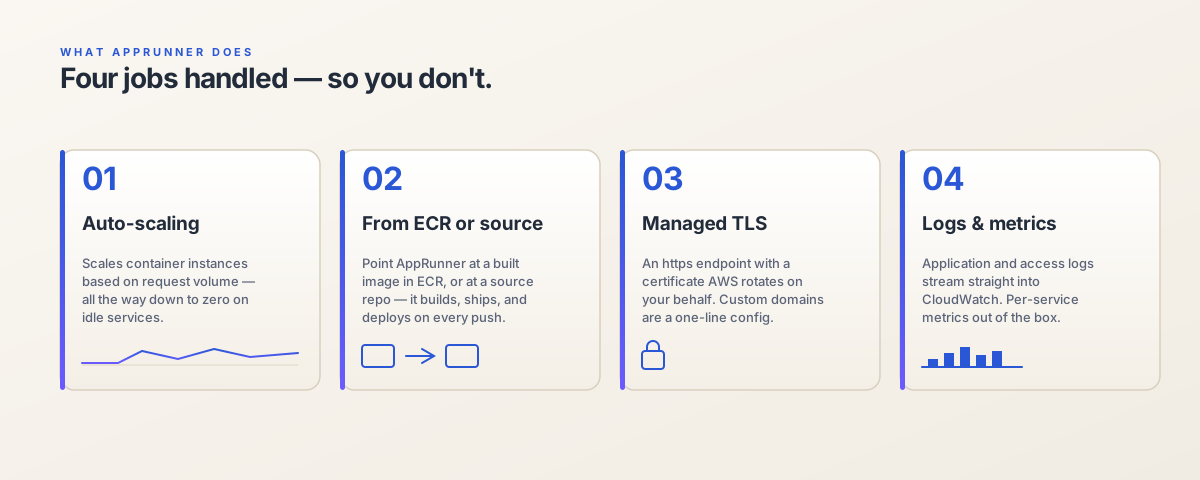
Since AWS App Runner is a fully managed service it will
- automatically deploy web applications by detecting a new container image that has been pushed to the container registry,
- automatically scale and load balance to meet the traffic needs.
Automatic deployment, scaling, and load balancing make it a desirable technology.
Easily Managed by Terraform
By adding Terraform to the mix we can provision this technology even faster. Later in this article, we will provide examples of code on how to set up AppRunner with Terraform.
History
Back when it was introduced it was still an early tech and still not developed and mature but in the last two years, it has grown significantly. Here are some improvements that we have witnessed while using the tech:
- Added support for more regions across the world,
- Reduced duration for deploying applications using container images, which is about a 30–40% reduction in deployment time depending on the container image size,
- Increased instance startup time from one to a maximum of five minutes which enables slower instances that need more time of startup to be used,
- Added dual stack support for incoming traffic through public endpoints, both IPv4 and IPv6 endpoints, simultaneously,
- Reduced the time taken for image-based service deployment, Added support for immediate deployment failure if App Runner couldn’t pull an image.
Provisioning AppRunner with Terraform
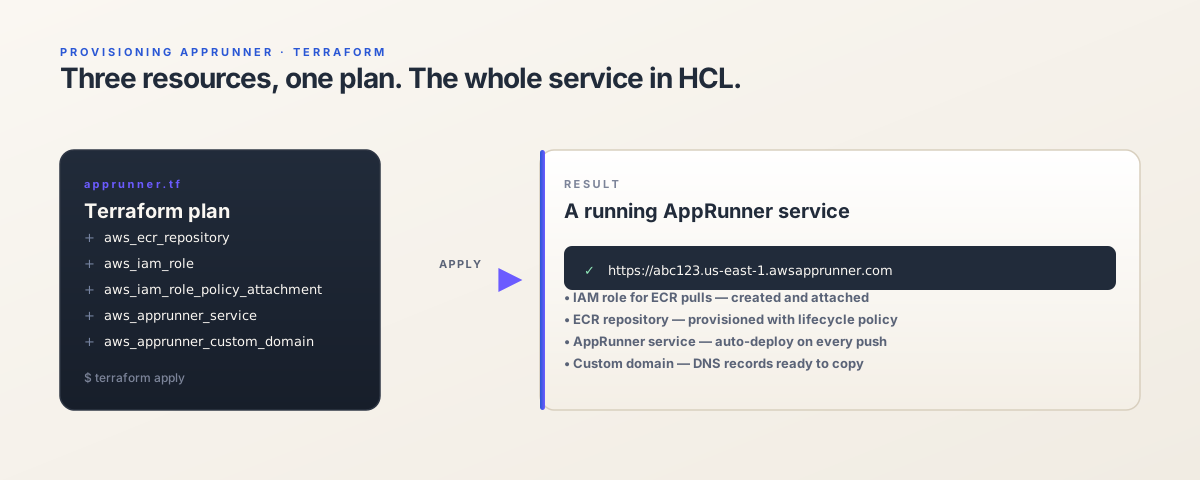
In this demonstration, we will provision AWS services with Terraform as follows:
- ECR for hosting container images,
- NodeJS API service on AppRunner,
- NuxtJS FrontEnd service on AppRunner.
Local variables are defined at the top of the .tf file to be straightforward about what values should be changed depending on the project.
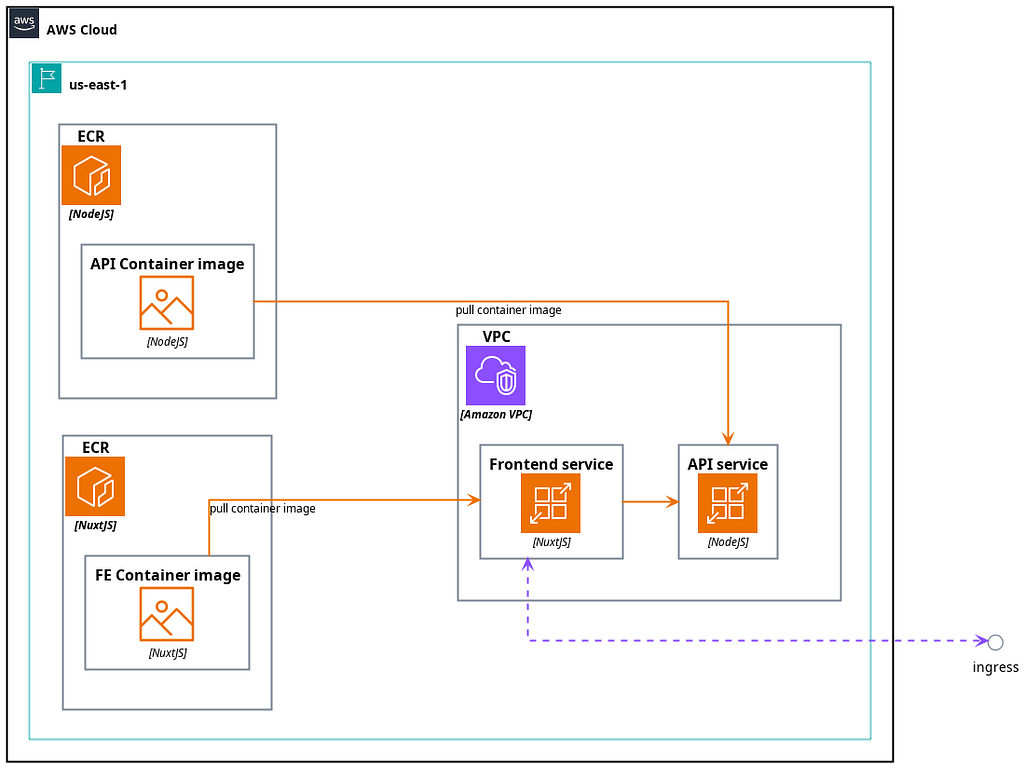
Diagram
In the diagram, it is clear that the publicly exposed service is the FrontEnd service, which then connects to the API service. To point and connect one service to the other environment variables are used.
Provision ECR
This is an example of how to provision the ECR for API.
# my_api
resource "aws_ecr_repository" "my_ecr_api" {
  name                 = "my_ecr/my_api"
  image_tag_mutability = "MUTABLE"
  image_scanning_configuration {
    scan_on_push = true
  }
}

resource "aws_ecr_lifecycle_policy" "my_ecr_api" {
  repository = aws_ecr_repository.my_ecr_api.name

  policy = jsonencode({
    rules = [{
      rulePriority = 1
      description  = "keep last 10 images"
      action = {
        type = "expire"
      }
      selection = {
        tagStatus   = "any"
        countType   = "imageCountMoreThan"
        countNumber = 10
      }
    }]
  })
}

output "my_ecr_api_registry_id" {
  value       = aws_ecr_repository.my_ecr_api.registry_id
  description = ""
}
output "my_ecr_api_repository_url" {
  value       = aws_ecr_repository.my_ecr_api.repository_url
  description = ""
}
Provision of the API Service
In this example, the health check is performed against a custom endpoint available on the/api/healtcheck URN, but that might be different in your case.
To be safe and if you do not have a health check endpoint yet just use / .
This instance is provisioned with the following configuration:
- 1024 CPU units,
- 2048 MB of memory,
- The health check endpoint is located at /api/healthcheck ,
- Container port running on 3000 .
locals {
  api_port                   = 3000
  api_domain                 = "api.mydomain.team"
  api_git_repo               = "my/my_api"
  api_development_git_branch = "dev"
  api_ecr_image_development  = "${aws_ecr_repository.my_api_ecr.repository_url}:dev"
}
resource "aws_apprunner_service" "my_api" {

  depends_on = [
    aws_ecr_repository.my_api_ecr,
    aws_iam_role.my_app_runner_roles,
    aws_apprunner_vpc_connector.my_vpc_connector
  ]

  service_name = "my_api"

  source_configuration {
    authentication_configuration {
      access_role_arn = aws_iam_role.my_app_runner_roles.arn
    }

    image_repository {
      image_identifier      = local.api_ecr_image_development
      image_repository_type = "ECR"
      image_configuration {
        port = 3000
        runtime_environment_variables = {
          # Server Port
          PORT = "3000"
          #
          NODE_ENV       = "development"
          LOG_LEVEL      = "debug"
          PORT           = local.api_port
          CONTAINER_PORT = local.api_port
          HOST_PORT      = local.api_port
        }
        runtime_environment_secrets = {
        }
      }
    }
    auto_deployments_enabled = true
  }

  health_check_configuration {
    path                = "/api/healthcheck"
    healthy_threshold   = 1
    interval            = 5
    protocol            = "HTTP"
    timeout             = 20
    unhealthy_threshold = 20
  }

  instance_configuration {
    cpu    = "2048"
    memory = "4096"
  }

  network_configuration {
    egress_configuration {
      egress_type       = "VPC"
      vpc_connector_arn = aws_apprunner_vpc_connector.my_vpc_connector.arn
    }
  }

  tags = {
    Name = "my-my_api-apprunner-service"
  }
}

output "my_api_apprunner_my_api_service_url" {
  value       = aws_apprunner_service.my_api.service_url
  description = ""
}
Provision of the FrontEnd service
This instance is provisioned with the following configuration:
- 1024 CPU units,
- 2048 MB of memory,
- The health check endpoint is located at /ping .
locals {
  my_fe_port                   = 3001
  my_fe_domain                 = "frontend.my-domain.org"
  my_fe_apprunner_domain       = "members.development.my-domain.org"
  my_fe_ecr_image_development  = "${aws_ecr_repository.my_fe_ecr.repository_url}:dev"
  my_fe_git_repo               = "clearview/my-members-fe"
  my_fe_development_git_branch = "dev"
}

resource "aws_apprunner_service" "my_fe" {
  depends_on = [
    aws_ecr_repository.my_fe_ecr
  ]

  service_name = "my_fe"

  source_configuration {
    authentication_configuration {
      access_role_arn = aws_iam_role.my_app_runner_roles.arn
    }

    image_repository {
      image_identifier      = local.my_fe_ecr_image_development
      image_repository_type = "ECR"
      image_configuration {
        port          = local.my_fe_port
        start_command = "yarn dev"
        runtime_environment_variables = {
          HOST           = "0.0.0.0"
          HOSTNAME       = "0.0.0.0"
          NITRO_HOST     = "0.0.0.0"
          ENV            = "development"
          NODE_ENV       = "development"
          PORT           = local.my_fe_port
          NITRO_PORT     = local.my_fe_port
          CONTAINER_PORT = local.my_fe_port
          HOST_PORT      = local.my_fe_port
          # API
          PROXY_TARGET      = "https://${local.api_domain}"
          NUXT_API_BASE_URL = "https://${local.api_domain}"
          # Nuxt
          NUXT_PUBLIC_DEV      = true
          NUXT_PUBLIC_DEBUG    = true
          NUXT_PUBLIC_SITE_URL = "http://localhost:${local.my_fe_port}"
          NUXT_PORT            = local.my_fe_port
          NUXT_HOST            = "0.0.0.0"
          # Debug
          LOG_LEVEL = "debug"
        }
      }
    }
    auto_deployments_enabled = true
  }

  health_check_configuration {
    path                = "/ping"
    healthy_threshold   = 1
    interval            = 20
    protocol            = "HTTP"
    timeout             = 19
    unhealthy_threshold = 20
  }

  instance_configuration {
    cpu    = "1024"
    memory = "2048"
  }

  network_configuration {
    egress_configuration {
      egress_type       = "VPC"
      vpc_connector_arn = aws_apprunner_vpc_connector.my_vpc_connector.arn
    }

    ingress_configuration {
      is_publicly_accessible = true
    }

  }

  tags = {
    Name = "my-my_fe-apprunner-service"
  }
}

output "my_fe_apprunner_my_fe_service_url" {
  value       = aws_apprunner_service.my_fe.service_url
  description = ""
}
Conclusion
In this article, we covered AppRunner from its humble beginnings to the powerful technology it has proven to be today. We provided useful diagrams and Terraform code for easy provisioning of service.
If you have any questions please do not hesitate to contact our team.